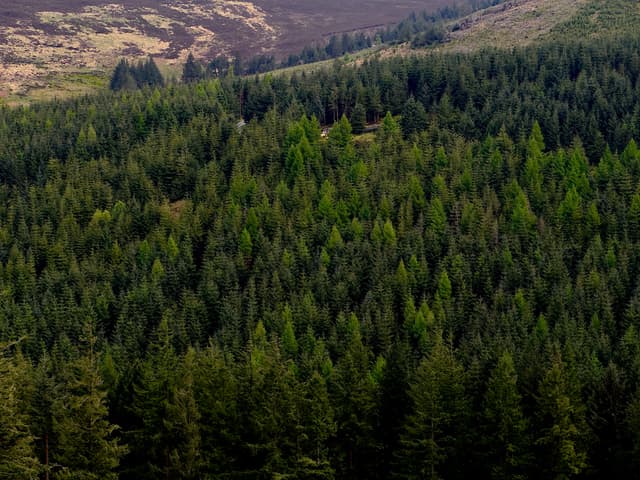
Project 2026: Forests & Climate
Theme: Forests, Climate Change, and Biodiversity.
Deadline: Thursday, 19 March 2026.
Project 26 How to Submit
Watch this video for a complete walkthrough of how to submit your project to your teacher.
Submission Package
Submit a single zipped file named 2026-219-3-EV-EXAMNUMBER.zip containing two primary folders:artefact and report.
Important: Keep index.html at the root of the report folder. Include all micro:bit .hex files, Python scripts, datasets, and any README/instructions inside the artefact folder.
The Task
"Develop a functional embedded system that collects environmental data and simulates a real-world process related to the theme of forests... You will also develop a computer-based model... to test 'what-if' scenarios... Finally, you will incorporate a feedback mechanism to make the system adaptive."
The project combines Embedded Systems (ALT 4) and Modelling/Simulation (ALT 3).
Project Requirements
- Embedded system design
- Build a functional embedded system that uses at least one digital input and at least one analogue input.
- The system must generate at least one primary output which can be either digital or analogue.
- The system can be started or calibrated manually but should operate automatically once started.
- Data collection
- Use your embedded system to collect and store environmental data that relates to your chosen theme.
- The stored data will be used as part of your model in the advanced requirements.
- Process simulation
- Configure your embedded system to simulate a real-world process related to the theme (for example: canopy cover, drought cycles, biodiversity changes, population growth/decline, wildfire risk).
- Run tests to show how the system responds using different inputs or changing environmental data.
- Disaster risk modelling
- Using Python, develop a computer model of a chosen disaster risk scenario related to forests (for example: wildfire, drought, pest outbreak, air quality, landslides, flooding).
- Your model must use some data collected from your embedded system and can be combined with open-source data or simulated data.
- What-if simulations
- Explore how your forest disaster risk model behaves under different conditions by creating and testing two "what-if" scenario simulations. Each scenario should involve changing one or more key variables and observing the resulting changes in system behaviour or predicted risk. Examples:
- What if temperature increases (drought conditions)?
- What if rainfall decreases (drought conditions)?
- What if tree density increases (afforestation)?
- What if the forest canopy is reduced (deforestation)?
- What if a species population grows too large or too small (for example: too many predators or too few pollinators)?
- What if high temperatures and low soil moisture increase wildfire risk?
- Adaptive system
- Extend your system to include a feedback mechanism that enables it to adapt automatically to changing conditions (for example: triggering an alert when fire risk is high, watering a plant when soil moisture is too low, or adjusting predictions based on the most recent data).
- Note that the adaptive response can be either physical (extending the embedded system) or virtual (changing the model so that it adjusts automatically).
Report breakdown and marking (90 marks total)
The report is submitted as an HTML website (maximum 2500 words). Structure your submission so the Artefact and Report folders are separate and easy to navigate. The table below shows the marking breakdown and the key content expected for each section.
| Section | Marks | Key content expected |
|---|---|---|
| The report (quality & layout) | 5 |
|
| 1. Meeting the brief | 27 |
|
| 2. Investigation | 10 |
|
| 3. Plan and design | 18 |
|
| 4. Create | 20 |
|
| 5. Evaluation | 10 |
|
| References & summary word count | 0 |
|
Practical tips
- Include a short demo video (max 5 minutes) linked from the Meeting the brief section.
- Keep the report focused — show evidence for each requirement rather than long narrative prose.
- Use clear figures, captions and labelled screenshots for the Create and Plan sections.
Submission checklist
- Artefact folder (code, micro:bit files, datasets, instructions to run).
- Report website with sections in the table above and the demo video embedded or linked.
- References and word-count summary.
What We Offer
Guide Coming Soon
We are preparing a complete suite of resources for the 2026 project. Planned release ahead of the assessment period.
What we will provide
- Complete Breakdown: Detailed analysis of the brief and marking criteria.
- Step‑by‑step Guidance: Instructions for every Basic Requirement (OL & HL).
- Advanced Walkthroughs: In‑depth guides for HL Advanced Requirements.
- Video Guides: Short videos demonstrating implementation, Micro:bit coding, and simulation.
- Sample Code: Python templates and Micro:bit debugging tips.
- AI Tools (Gold): Idea generation, code debugging, and report writing assistance.
Report Support
We will provide a full report template and a walkthrough covering:
- Introduction and context
- Methodology and data collection
- Design, implementation and testing
- Evaluation, limitations and future improvements
- References and appendices
Gold Member Benefits
Gold members will get exclusive access to:
- AI tools to generate project ideas, sample code and debugging hints.
- Assistance with Micro:bit Python code and simulation troubleshooting.
- Help drafting and polishing report sections (methodology, evaluation, testing).
- Priority support and sample solutions.